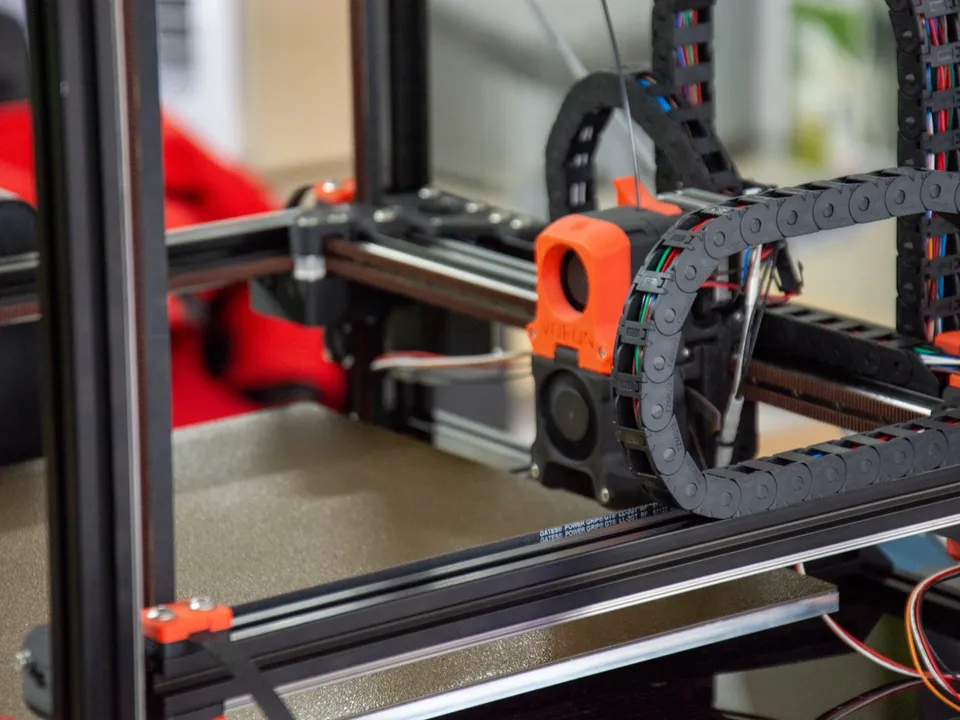
CoreXY printers are faster because their motors are bolted to the frame and the bed only moves down, so the motors push far less weight sideways. Less moving mass means more acceleration from the same motor force before the frame starts to ring. Every shipping CoreXY in this database with a published figure claims at least 20,000 mm/s². The bedslinger median is 12,000 mm/s².
Why are CoreXY printers faster?
CoreXY printers are faster because they move less mass. Two stepper motors stay fixed to the frame and pull a belt loop that moves just the toolhead and the rail it rides on, while the bed travels only in Z. With less weight to shove around, the same motors can accelerate harder before ringing appears.
A bedslinger splits the work differently. Its X axis carries the toolhead, but its Y axis carries the bed, the build plate and the part being printed. The RepRap wiki puts the general rule this way: parallel layouts such as CoreXY “typically have much lower inertia than serial stackup arrangements,” and, “when using the same motors and the same forces,” that “typically gives more rapid acceleration.” The CoreXY explainer covers how the belt loop works.
Bambu Lab makes both layouts, which isolates the difference. The Bambu Lab A1 (bedslinger) and the Bambu Lab P1S (CoreXY) both list a 500 mm/s top speed. Bambu Lab rates the A1 at 10,000 mm/s² of acceleration and the P1S at 20,000 mm/s². Its A1 mini and A2L bedslingers also carry 10,000, and the CoreXY P2S and H2D carry 20,000.
These are makers’ claims, not measured results. With the same top speed, the higher acceleration matters on short moves. The speed claims guide works out the distance each printer needs to reach full speed.
How does the motion system affect max acceleration?
The motion system sets how much mass each motor must accelerate, and acceleration equals force divided by mass. Halve the moving mass and the same motor force gives twice the acceleration. Extra mass also lowers an axis’s resonance frequency. Klipper’s documentation ties a lower resonance frequency to more smoothing from input shaping, which caps usable acceleration.
Three mechanisms connect the layout to the acceleration figure:
- Force and mass. Newton’s second law, as Wikipedia states it, is “F = ma.” A motor delivers a limited force, so the axis with less mass reaches a higher acceleration.
- Resonance. A mass on a spring-like frame or belt vibrates at a natural frequency of ω = √(k/m), where k is stiffness and m is mass. Add mass at the same stiffness and the frequency drops. Klipper’s resonance guide states that “the higher the frequency of the lowest resonance - the smaller the smoothing.”
- Ringing. Klipper’s resonance compensation guide lists “heavy moving mass” among the causes of ringing. The guide sets
max_accel at the lower of two values: where ringing stays acceptable and where smoothing starts to blur detail.
On a bedslinger, the Y-axis mass grows during the print. The same Klipper guide warns that “as more filament is deposited on the moving bed, the mass of the bed increases and the resonance frequency will decrease.” A CoreXY’s part rides on a bed that only moves down, so the horizontal moving mass stays constant from the first layer to the last. The input shaping guide explains how firmware cancels the vibration that remains.
Is CoreXY faster than a bedslinger?
On makers’ acceleration claims, usually yes, but not always. Every shipping CoreXY in this database with a published figure claims 20,000 to 40,000 mm/s², with a median of 20,000. Shipping bedslingers claim 2,500 to 20,000 mm/s², with a median of 12,000. Seven bedslingers match the CoreXY floor at 20,000 mm/s².
The counts behind those figures, from the shipping printer records:
- CoreXY: 28 of 31 records publish an acceleration figure. Twenty-one claim 20,000 mm/s², four claim 30,000 (the Creality K2 Plus, Flashforge Creator 5, Creator 5 Pro and QIDI Max4), and three claim 40,000 (the Sovol SV08, SV08 Max and Sovol Zero). Prusa publishes no figure for its three CoreXY models.
- Bedslinger: 18 of 20 records publish a figure. They run from 2,500 mm/s² on the Creality Ender-3 V3 SE to 20,000 mm/s².
The seven bedslingers at 20,000 mm/s² are the Anycubic Kobra 3, Kobra 3 V2, Kobra 4, Kobra X, Creality Ender-3 V3, Elegoo Neptune 4 and Neptune 4 Pro. Creality describes the Ender-3 V3 as CoreXZ, a belt layout that couples X and Z while the bed still moves on Y.
Some makers claim the same figure for both layouts. Anycubic lists 20,000 mm/s² for the Kobra 3 bedslinger and the Kobra S1 CoreXY. Creality claims the same 20,000 for the Ender-3 V3 and the CoreXY K1 Max.
No maker in these records states how it measured the figure. Klipper calls the acceleration its own calibration suggests “only a theoretical maximum.” Compare the layouts in the CoreXY printer list and the fastest bedslinger list.
What limits CoreXY print speed besides the motion system?
Two limits outside the motion system decide real CoreXY speed: how fast the hotend can melt plastic and the length of each move. Volumetric flow caps the speed of every printed line. Short moves end before the toolhead reaches top speed. A 500 mm/s or 1,000 mm/s headline is a ceiling, not the speed of every line.
The two Bambu Lab printers above show the flow limit. Bambu Lab lists 28 mm³/s of flow for the A1 and 32 mm³/s for the P1S. On a 0.45 mm wide, 0.2 mm tall line (0.09 mm² cross-section), flow caps the A1 at about 311 mm/s and the P1S at about 356 mm/s, well under their 500 mm/s top speed. Extra acceleration cannot lift a cap set by the hotend. The volumetric flow guide has the conversion for other line sizes.
Input shaping belongs to neither layout. Bambu Lab lists vibration compensation for both the A1 and the P1S, and Klipper-based printers of either kind run the same code. The input shaping guide covers which firmware offers it.
Is CoreXY better than Cartesian?
Neither layout is better in general; each fits different priorities. A bedslinger, the common Cartesian design, is mechanically simpler, usually cheaper and open for easy access. CoreXY suits higher acceleration, an enclosed build space, and tall or narrow parts that a moving bed would shake. Match the layout to what you print.
In firmware terms, Klipper’s configuration reference treats cartesian and corexy as separate kinematics. Among shipping printers in this database, 20 are bedslingers and one is another Cartesian layout, so the practical comparison is CoreXY against the bedslinger. The conditions that separate them, from the shipping records:
- Budget: the median launch price is $389 for bedslingers (19 records with a price) and $849 for CoreXY (31 records). The ranges overlap: the Creality K2 SE and Elegoo Centauri 2 CoreXY models launched at $299.
- Enclosure: 19 of 20 bedslingers are open frame. Of 31 CoreXY models, 11 are enclosed and 12 have a heated chamber. A CoreXY fits if you plan to print materials that need an enclosure.
- Tall parts: a bedslinger moves the part with every Y move; a CoreXY does not. The tall prints guide covers that case.
- Access: a bedslinger’s open frame leaves the bed, belts and toolhead in reach with no panels to remove. The motion systems comparison covers where that layout fits.