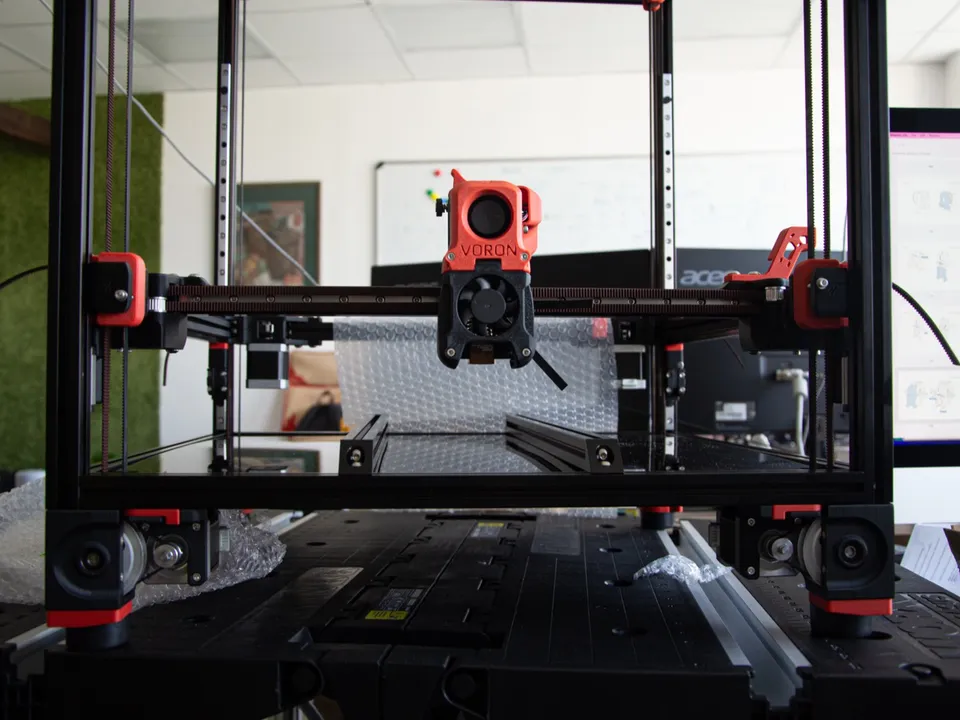
CoreXY is a way of moving a 3D printer’s toolhead left-right and front-back with two motors bolted to the frame. Both motors pull on a pair of belts that meet at the toolhead: turn them the same way and the head moves along X, turn them opposite ways and it moves along Y. Neither motor rides on a moving axis.
What is CoreXY?
CoreXY is a motion system for the horizontal (X and Y) axes of a 3D printer, laser cutter or other gantry machine. Two stationary motors drive two long belts, and every X or Y move is a combination of both motors turning. The bed or the gantry handles Z separately. The design keeps heavy motors off the moving parts.
Its inventor, Ilan Moyer, describes it as “a technique that uses a pair of serpentine belts to provide low-inertia cartesian motion by keeping both motors stationary.” On his project site he calls the motors “typically the largest source of inertia on a DIY-grade stage” and says keeping them still “permits rapid accelerations.” Why that matters for print speed is covered in why CoreXY printers are faster.
On a spec sheet, “CoreXY” under motion system or structure tells you two things: the toolhead does the X and Y moving, so the bed never slides sideways, and the two X/Y motors sit in the frame. Of the 81 printers in this database, 45 list CoreXY as their kinematics, across nine brands. Bambu Lab launched the X1-Carbon as a “prosumer-grade CoreXY printer.” Others include the Bambu Lab P1S, Sovol SV08, QIDI Plus4 and Original Prusa XL. The full set is in the CoreXY printer list.
How does CoreXY work?
CoreXY works by adding and subtracting two motor motions. Each motor drives its own belt, and both belts pull on the toolhead carriage. When both motors turn in the same direction, the carriage moves along X. When they turn in opposite directions, the whole gantry moves along Y. Any other combination produces a diagonal move.
Moyer’s theory page puts it in one line: “Rotating both motors in the same direction results in horizontal motion. Rotating both motors in opposite directions results in vertical motion.” (On his flat diagram, “vertical” is the Y axis.) He traces the idea to the drafting table, where a criss-cross of cables keeps the straight-edge level as it slides. The RepRap wiki notes that this same mechanism “was used for decades in cable based auto-parallel drawing tables.”
With the motors fixed, only the toolhead, its carriage and the X beam it slides on are moving. Firmware handles the translation. Your slicer sends ordinary X and Y coordinates, and the printer converts them into turns of motor A and motor B.
CoreXY’s closest relative is the H-bot, which also keeps both motors still. The RepRap wiki notes that on an H-bot the belt loads tend to rotate the carriage around the Z axis, while CoreXY adds two pulleys “to equilibrate loads,” so “the carriage stays always perpendicular.” The details are in CoreXY vs H-bot.
What are the CoreXY kinematics equations?
CoreXY kinematics are the equations that turn X and Y moves into motor moves. Motor A moves by X plus Y, and motor B moves by X minus Y. Going the other way, X is half of A plus B, and Y is half of A minus B. A and B are measured as belt travel at each motor.
Moyer publishes the “equations of motion” with his reference mechanism:
- ΔX = ½ (ΔA + ΔB)
- ΔY = ½ (ΔA − ΔB)
- ΔA = ΔX + ΔY
- ΔB = ΔX − ΔY
Klipper, an open-source printer firmware, uses the same relationship: stepper_a_position = cartesian_x_position + cartesian_y_position and stepper_b_position = cartesian_x_position - cartesian_y_position, with Z unchanged.
Worked through, the equations give three cases:
| Move |
Motor A |
Motor B |
| 10 mm along X only |
+10 mm |
+10 mm |
| 10 mm along Y only |
+10 mm |
−10 mm |
| 10 mm in X and 10 mm in Y (a 45° diagonal) |
+20 mm |
0 mm |
A pure X or Y move always uses both motors, while a 45° diagonal turns only one.
What does the CoreXY belt path look like?
A CoreXY printer has two separate belts, one per motor, and both ends of each belt are clamped to the toolhead carriage. From the carriage, a belt runs to one end of the X beam, along the frame side to its motor, back up that side, across the back to the opposite side, then forward to the carriage.
In Moyer’s reference drawing, the two motors sit at the two front corners of the frame, and the belts swap sides by crossing each other near the back. He added “two additional pulleys” so that this crossover sits outside the working area, where the gantry never reaches.
Printers handle that crossing in one of two ways, per the RepRap wiki:
- Crossed belts on one plane. “Both belts are on same plane so belts are crossing and they tend to rub one against the other at crossing point.”
- Stacked belts on two levels. “The two belts could be set on two different levels,” so one belt runs above the other and they never touch.
For a buyer, the routing is a service detail; the spec to compare is the motion system itself. Belt tension does affect print quality, but adjusting it is a maintenance job rather than a buying decision.
Is CoreXY a Cartesian printer?
Yes, in the sense that matters for printing: a CoreXY printer moves its nozzle along straight X, Y and Z axes at right angles, exactly like other Cartesian machines. The difference is under the hood. On a classic Cartesian printer each motor drives one axis. On CoreXY, two motors share the X and Y work.
The sources agree on both halves. Moyer titles his project “CoreXY: Cartesian Motion Platform,” and the RepRap wiki calls CoreXY and H-bot “Cartesian arrangements.” Moyer also describes the design as “(mostly) parallel kinematics,” in contrast to ordinary Cartesian stages, where “one motor must push the mass of the other.” Firmware draws the same line: Klipper’s documentation treats cartesian and corexy as separate kinematics, because a cartesian X motor maps straight to X and a CoreXY motor does not.
This database follows the firmware convention: CoreXY is its own kinematics value, filed separately from bedslinger printers (one motor per axis, with the bed moving along Y) and Cartesian-gantry printers. For how the layouts compare in footprint, enclosure and tall prints, see Cartesian vs CoreXY vs delta.
When was CoreXY invented?
CoreXY was developed by Ilan E. Moyer in 2011 and 2012. His project site dates the first version, a fabric-based proof of concept called Bot of the Cloth, to February 2011. A waterjet-cut aluminum version followed in July 2011. His MIT portfolio lists the project as running from June 2011 to April 2012.
Moyer says CoreXY “was conceived of as an independent project,” and keeps a list of prior art on corexy.com. That list includes the H-Bot, an industrial XY gantry from Macron Dynamics, and an academic paper on single-belt H-frame stages. The cross-cable principle itself is older, borrowed from the drafting tables described above.
Wikipedia’s CoreXY article names the Voron 2.4 and the Rat Rig V-Core as CoreXY printers with open-source hardware and software.