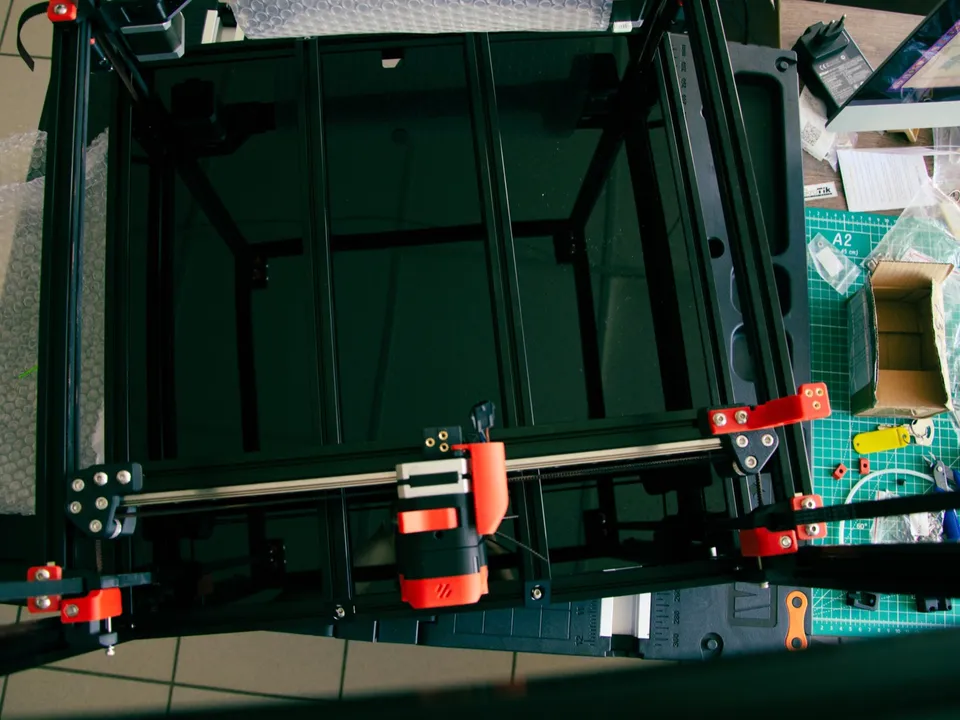
An H-bot moves the toolhead with one long belt laid out in an H, and the belt pull tends to twist the moving carriage. CoreXY splits the drive into two belt loops, crossed or stacked, that pull on both ends of the gantry and keep it square. Both use two frame-mounted motors and the same firmware math.
What is the difference between CoreXY and H-bot?
The difference is the belt path. An H-bot runs a single belt in an H shape, and its pull tries to rotate the carriage, so the frame must resist that twist. CoreXY adds pulleys and uses two belt loops, which balances the forces and keeps the gantry square. The motors and the motion math are the same.
The RepRap wiki puts it plainly: “The belt loads on the carriage of an H-Bot tends to rotate it around Z axis,” so “the positioning accuracy rely only on the stiffness of the carriages.” CoreXY adds “two pulleys to equilibrate loads and so the carriage stays always perpendicular without relying on the stiffness of the sliding mechanism.” The cost is belt length: “CoreXY have longer belts than H-Bot but they allow lighter construction.”
To the firmware they are the same machine. Klipper’s example config is written “for corexy (and also h-bot) style printers,” and its kinematics notes give one motor’s position as X + Y and the other’s as X − Y. Turning both motors the same way moves the head in X, opposite ways moves it in Y, and one motor alone moves it diagonally (Wikipedia).
On a spec sheet both may appear as “CoreXY”. The same wiki page warns that some makers have presented H-bot printers as CoreXY. Two separate belt loops are the visible sign of true CoreXY. Of the 81 printers in this database, 45 are CoreXY (the full list); the CoreXY guide covers the layout in more depth.
What types of CoreXY are there?
Five layouts share the idea of frame-mounted motors moving the head through belts: the H-bot, CoreXY with crossing belts on one plane, CoreXY with belts stacked on two levels, hybrid CoreXY, and CoreXZ. Klipper’s configuration reference covers them with corexy (which also handles the H-bot), hybrid_corexy and corexz, and adds hybrid_corexz.
| Layout |
Belt drive |
Axes the motor pair moves |
Klipper kinematics: |
| H-bot |
One belt in an H shape |
X and Y |
corexy |
| CoreXY |
Two loops, crossing in one plane or stacked on two levels |
X and Y |
corexy |
| Hybrid CoreXY (Markforged) |
X motor tracks X − Y; Y motor drives Y alone |
X and Y |
hybrid_corexy |
| CoreXZ |
The CoreXY pattern turned upright |
X and Z |
corexz |
| Cross gantry (CrossXY) |
Each crossed rail driven along its own axis |
None shared |
cartesian |
On the two CoreXY belt routings, the RepRap wiki notes that belts in one plane cross and “tend to rub one against the other,” while stacking them on two levels “creates a small tilting momentum on the hotend carriage.” Ilan Moyer’s reference CoreXY mechanism adds “two additional pulleys” to move the crossover “outside of the working envelope.”
What is CrossXY?
CrossXY, or a crossed gantry, carries the toolhead where two perpendicular rods or rails cross. Each one is driven along a single axis by its own motor or motors, so X and Y stay independent as on a plain Cartesian printer, while the motors stay on the frame. The Ultimaker Original used this layout.
The RepRap wiki lists among the Ultimaker Original’s key features “parallel kinematics, all motors are stationary, moving mass is very low.” The open-source CroXY project calls itself a “CrossXY printer with a crossed linear rail gantry design” and uses four XY motors. Hackaday explains that each crossed rail “controls a degree of freedom with vanilla Cartesian kinematics,” and that compared with CoreXY “the overall belt length has been reduced tremendously, resulting in a much stiffer setup.”
The practical difference: in CoreXY both motors turn for every X or Y move, while in a cross gantry each axis has its own drive. None of the 81 printers in this database uses a cross gantry.
What is CoreXZ?
CoreXZ is CoreXY turned on its side. Two motors share a belt system that moves the toolhead in X and the gantry in Z, and both turn together for every X or Z move. The Y axis is driven separately. Klipper supports it as corexz kinematics. The Creality Ender-3 V3 is one example.
Klipper’s configuration reference assigns one stepper to “the X+Z movement” and the other to “the X-Z movement,” with a separate stepper for Y. Creality says the Ender-3 V3’s “X and Z axis … are rigged together, allowing two high-torque motors to work in unison.” It lists the V3’s moving parts at 600 g (printhead and timing belts) against 900 g for the Ender-3 V2, whose figure also includes the V wheels and X motor. The V3’s record lists a 600 mm/s top speed and 20,000 mm/s² acceleration, both maker claims.
Is a CoreXZ printer a bedslinger?
A CoreXZ printer is a bedslinger when its Y axis moves the bed, as on the Creality Ender-3 V3. CoreXZ changes only how X and Z are driven; the part still rides the bed back and forth. Creality markets the V3 with the line “Redefine Bedslinger,” and this database lists it as a bedslinger.
The bedslinger trade-offs in footprint, enclosure and tall prints still apply. The Cartesian vs CoreXY vs delta guide covers them.
What is hybrid CoreXY?
Hybrid CoreXY, also called Markforged kinematics, drives the Y axis with its own motor and routes the X motor’s belt so that its position tracks X minus Y. Klipper supports it as hybrid_corexy. Klipper’s dual-carriage support, used for independent dual extruder (IDEX) printers, names hybrid CoreXY among the layouts it covers.
In Klipper’s configuration reference, the X stepper controls “the X-Y movement” and the Y stepper controls “the Y axis.” Its [dual_carriage] section supports “cartesian, generic_cartesian and hybrid_corexy/z printers with dual carriages on a single axis.” A hybrid CoreXZ variant (hybrid_corexz) is documented too. The database lists two IDEX printers, the Snapmaker J1s and the Sovol M1D; the IDEX guide explains what two independent heads add.