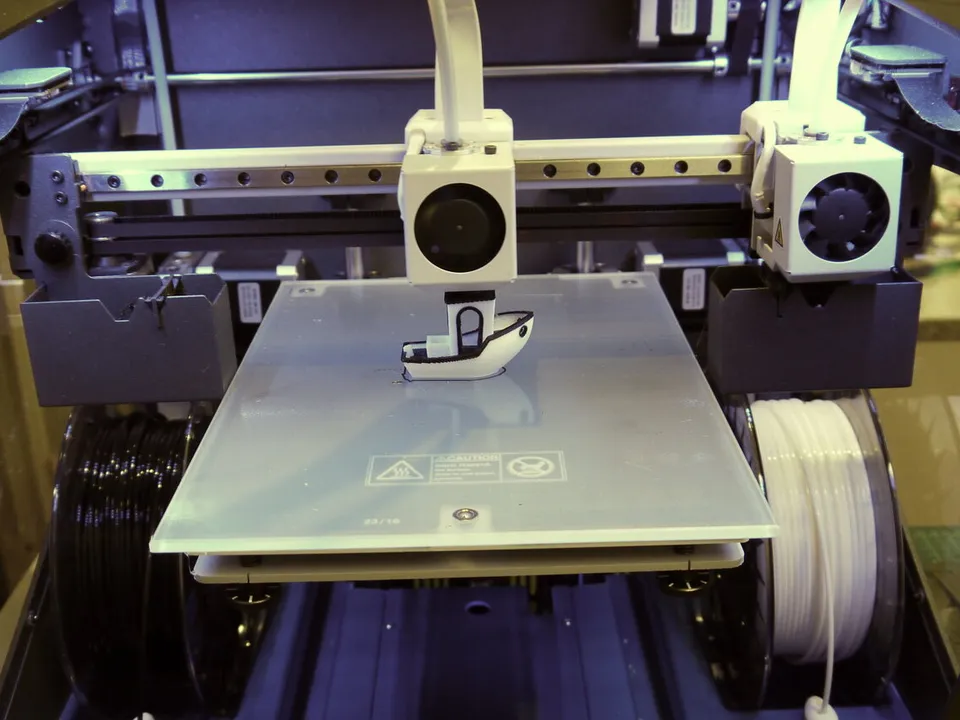
An IDEX (independent dual extruder) printer has two complete toolheads on two separate carriages that share the X axis, so each nozzle moves on its own. One head prints while the other parks at the side of the bed, or both print at once to make two copies of a part, or a part and its mirror image.
What is an IDEX 3D printer?
An IDEX 3D printer is a fused deposition modeling (FDM) printer whose two toolheads ride separate carriages on the same X axis, each with its own hotend and nozzle. IDEX stands for independent dual extruder. Because the heads move independently, one can print while the other waits off to the side, or both can print at the same time.
Snapmaker defines IDEX as “two separate extruders moving independently on the X-axis, enabling you to run two prints simultaneously.” The docs for Klipper, an open-source printer firmware, describe the same hardware as “dual carriages on a single axis.” The extra carriage is “typically combined with extra extruders,” and the docs tell builders to “park the carriages during deactivation.”
Parking is the point of the design. The idle nozzle sits beside the bed, away from the part, so it does not drag across or drip onto the print. Sovol’s M1D manual marks a “toolhead parking zone” at the edge of the bed where models cannot be placed. A parked hot nozzle can still ooze, so makers add wipers: Snapmaker’s J1s has built-in nozzle wipers that “halt the oozing from the just-active extruder.”
Each head keeps its own filament loaded, so switching between two materials needs no unloading of the old filament through a shared nozzle. Snapmaker says IDEX dual-material printing “requires less time in filament changing and creates less waste.” That suits a part plus soluble or breakaway supports, or two colors. Snapmaker also offers a backup mode, where “the stand-by one would take over the job” if the working extruder has a problem.
The database holds two IDEX records. The Snapmaker J1s is listed as discontinued: Snapmaker’s store shows it as unavailable. The Sovol M1D is listed as announced: Sovol’s page takes pre-orders, estimated to ship between late December and early January. The M1D adds a toolchanger to the right-hand carriage, with one fixed toolhead plus six swappable ones.
What are IDEX mirror and duplicate modes?
Duplicate mode, also called copy mode, has both heads print the same part side by side at the same time. Mirror mode prints a part and its left-right mirror image together. Both modes split the bed into a left and a right zone, one per head, so each part must fit in under half the printer’s X width.
Klipper runs both modes with the SET_DUAL_CARRIAGE command, where the second carriage “will follow the motion of the carriage 0” to print “two identical parts (in COPY mode) or mirrored parts (in MIRROR mode).” Sovol’s manual describes the slicer dividing the build platform “into two independent zones (left and right).”
The makers’ own figures show how much width each mode leaves. Depth and height do not change:
| Mode |
Snapmaker J1s |
Sovol M1D |
| One head (or two materials) |
300 × 200 × 200 mm |
300 × 300 × 350 mm |
| Copy (duplicate), per part |
160 × 200 × 200 mm |
178 × 300 × 350 mm |
| Mirror, per part |
150 × 200 × 200 mm |
138 × 300 × 350 mm |
Mirror mode leaves less width than copy mode on both printers.
Use duplicate mode for batches of identical parts and mirror mode for left and right pairs. Sovol suggests “left/right shoe molds, left/right shells, left/right handles.” For a symmetrical part, Snapmaker suggests printing half the model in mirror mode “to cut your wait time by 50%.” If one of the two prints fails, Snapmaker says you “can stop that print without affecting the other.”
Can a CoreXY printer be IDEX?
Yes, though not on a standard CoreXY belt layout. In CoreXY both motors move a single toolhead together, so a second, independent carriage needs a drive of its own. Klipper’s IDEX support covers cartesian, generic cartesian and hybrid CoreXY printers, but not standard CoreXY. The hybrid layout is also called Markforged kinematics.
Klipper’s kinematics docs show why: on a CoreXY printer, one stepper’s position is the X position plus the Y position, and the other’s is X minus Y. Both belts end at the one toolhead, so the belt loop cannot move a second head on its own. Klipper’s [dual_carriage] section lists “cartesian, generic_cartesian and hybrid_corexy/z printers,” and says hybrid CoreXY “is also known as Markforged kinematic.”
Neither IDEX record in the database is listed as CoreXY: both store their kinematics as IDEX, and neither maker’s product page names the layout under the two carriages. The CoreXY printers in the database that print two or more materials use other designs. The Bambu Lab H2D carries two nozzles on one CoreXY toolhead, and the Snapmaker U1 is a CoreXY toolchanger. Neither prints two parts at once the way IDEX copy mode does.
How is IDEX different from other dual-nozzle printers?
IDEX gives each nozzle its own carriage, so the two can move apart and print at once. A dual-nozzle toolhead carries both nozzles on one carriage and lifts the idle one. A toolchanger docks complete toolheads and moves one at a time. A single-nozzle multi-material system feeds several filaments through one nozzle and purges between changes.
|
IDEX |
Two nozzles, one toolhead |
Toolchanger |
One nozzle, filament switching |
| How many heads move |
Two, independently |
One, carrying both nozzles |
One active toolhead at a time |
One |
| Where the idle nozzle goes |
Parked at the side of the bed |
Lifted above the active nozzle |
Left in a dock |
No idle nozzle |
| Prints two parts at once |
Yes, in copy or mirror mode |
No |
No |
No |
| Material change |
Switch heads; no filament unload |
Switch nozzles |
Swap toolheads |
Purge old filament |
| Database examples |
Snapmaker J1s, Sovol M1D |
Bambu Lab H2D |
Prusa XL+, Snapmaker U1, Flashforge Creator 5 Pro |
Any single-nozzle printer with a filament changer |
Two nozzles on one toolhead. On the H2D, Bambu Lab fits a nozzle lifting rail to the left hotend. Tom’s Hardware describes the switch: “When the left nozzle is done printing, the nozzle will move up.” The other stays put: “The right nozzle is stationary on the toolhead.” Because the nozzles sit side by side, Bambu Lab lists 325 × 320 mm for each nozzle alone but 300 × 320 mm for the area both can reach.
Toolchangers. A toolchanger keeps each material in its own complete toolhead and swaps the whole head. Snapmaker says the U1 “swaps one complete toolhead for another in just 5 seconds” and drives “the active toolhead” on a CoreXY frame. Prusa’s XL+ takes up to five toolheads, and “each toolhead keeps its own nozzle.” The Prusa CORE One+ (Gen 2) INDX uses a Bondtech INDX tool changer with four or eight tools.
One nozzle, many filaments. Filament changers such as Bambu Lab’s AMS feed several spools into a single nozzle. Each change pushes the old filament through the nozzle until only the new one comes out, a step Bambu Lab’s wiki calls flushing. The nozzle then primes on a prime tower printed beside the part. Bambu Lab notes that multimaterial prints “tend to be very costly both in time and materials.”
IDEX fits batches of identical parts, mirrored pairs, and two-material jobs such as a part with soluble supports. A toolchanger or a filament changer fits jobs with more than two materials, since a plain IDEX printer has two heads with one material each. For how the frame layouts themselves compare, see Cartesian vs CoreXY vs delta.

.jpg)