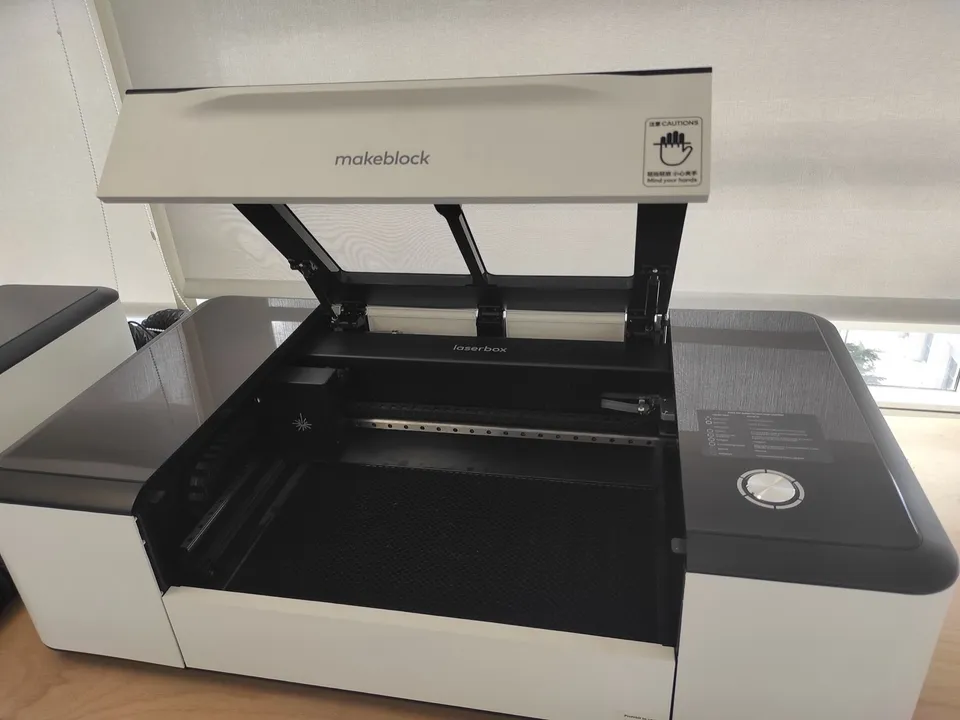
A 3D printer builds three-dimensional parts by laying down melted plastic filament layer by layer. A laser engraver burns designs into the surface of material you already have and cuts flat shapes out of sheets such as plywood and acrylic. The printer adds material; the laser removes or marks it.
What is the difference between a 3D printer and a laser engraver?
A 3D printer is additive: it melts plastic filament and stacks it layer by layer into a three-dimensional part. A laser engraver works on material you already have. Its focused beam burns a design into a surface or cuts a flat shape from a sheet, so it marks and removes material but never builds a part.
The two categories side by side, using a desktop FDM (fused deposition modeling) printer and a desktop diode laser:
|
Desktop FDM 3D printer |
Desktop diode laser engraver |
| Process |
Adds melted plastic, layer by layer |
Burns or vaporizes material with a focused beam |
| What comes out |
A freestanding 3D part |
An engraved surface or a flat cut-out |
| Consumable |
Spools of plastic filament |
Sheet stock (wood, plywood, leather, opaque acrylic) and blanks to mark |
| Work space |
A build volume: width, depth and height |
A flat bed area, limited in depth by how thick a sheet the beam cuts through |
| Main hazard |
Fumes and ultrafine particles from heated plastic |
Class 4 beam on open frames (eye, skin and fire hazard), plus smoke |
How do you choose between a 3D printer and a laser engraver?
Choose by the object you want at the end. Enclosures, brackets, figurines and functional replacement parts are three-dimensional, so they need a 3D printer. Flat signs, engraved gifts, cut plywood or acrylic panels and markings on things you already own need a laser engraver. A 3D printer with a laser module does both.
| You want to make |
Machine that makes it |
| A box, enclosure or case |
3D printer |
| A bracket, clip, hook or mount |
3D printer |
| A replacement knob, gear or other functional part |
3D printer |
| A figurine, miniature or model |
3D printer |
| A sign, coaster or ornament cut from plywood |
Laser engraver |
| Acrylic panels or layered wooden cut-outs |
Laser engraver |
| A name or logo burned into wood, leather or a tumbler |
Laser engraver |
A laser also works on finished objects. In the Tom’s Hardware review of the xTool D1 Pro, the reviewer burned the paint off steel cups and shaded the metal underneath. A 3D printer only makes new parts.
Consumables
A printer runs on spools of filament. A laser engraver runs on whatever you put under it. Tom’s Hardware lists cardboard, wood, bamboo, rubber, leather, stone, metal, painted glass and opaque acrylic for the xTool D1 Pro.
Diode lasers cannot cut every acrylic. Snapmaker lists only non-transparent acrylic (blue excluded) as cuttable by its diode lasers. Bambu Lab’s H2D spec sheet lists “dark acrylic.” Never put PVC under any laser: Snapmaker warns that cutting it releases chlorine gas, which is toxic and corrodes the machine.
Work area
A printer’s limit is a volume. The Bambu Lab A1 mini prints parts up to 180 × 180 × 180 mm, and the Creality Ender-3 V3 SE up to 220 × 220 × 250 mm. A laser’s limit is a flat area plus a cut depth.
Tom’s Hardware lists the xTool D1 Pro’s engraving area as 430 × 390 mm, and its reviewer found the 20 W model cuts wood up to 10 mm thick. Thicker stock takes several slow passes. The 3D printer size guide covers how to size a build volume to your parts.
Safety
The FDA describes a Class IV laser as an “immediate skin hazard and eye hazard from exposure to either the direct or reflected beam,” which “may also present a fire hazard.” Bambu Lab rates its own H2D laser modules Class 4. Tom’s Hardware notes the open-frame xTool D1 Pro is Class 4 too and says to wear safety glasses that block its 455 nm blue light whenever it runs without a cover.
Engraving and cutting also make smoke. The reviewer advised the optional enclosure, whose fan pulls the smoke through a hose to a vent or purifier.
A 3D printer’s hazard is the air. NIOSH detected volatile organic compounds (VOCs) and ultrafine particles during 3D printing in 11 school settings and recommends ventilation and other engineering controls. The desktop laser safety guide explains laser classes and eyewear, and the laser fumes guide covers extraction.
Price
At the entry level the two categories overlap. These are the prices Tom’s Hardware reviewers recorded in 2023:
- Creality Ender-3 V3 SE: retailed at $199 (Tom’s Hardware, September 2023).
- Bambu Lab A1 mini: $299 without its multi-material unit (Tom’s Hardware, September 2023).
- Two Trees TTS-55 (5 W open-frame laser): retailed at $299 (Tom’s Hardware, June 2023).
- xTool D1 Pro: $849.99 for 10 W and $1,399.99 for 20 W. Adding the enclosure and honeycomb work panel the reviewer advised brought the 20 W kit to $1,758 (Tom’s Hardware, June 2023).
Prices change often. Check the maker’s store before you buy.
One machine that does both
Some desktop 3D printers take a laser module and switch between printing and laser work. The Bambu Lab H2D offers a 10 W or 40 W blue diode module, with a maximum cutting thickness of 5 mm and 15 mm of basswood plywood respectively. The laser area is smaller than the print area: the printer prints across 325 × 320 mm, but the 10 W module processes 310 × 270 mm and the 40 W module 310 × 250 mm. Bambu Lab classes the module itself as Class 4 and the whole enclosed printer as Class 1 when its protection is complete and working.
The 3D printer and laser combos hub explains how these machines work, and the list of 3D printers with a laser engraver compares every model in the database with a laser option.