
Used 3D printer inspection checklist
A used 3D printer can look fine on a table and still hide worn rods, a bent hotend or a seller's cloud account. This checklist covers what to look up, what to ask, what to inspect and what to watch it print before you pay.
Published Verified
Part of the topic Buying a used 3D printer: what to know before you pay
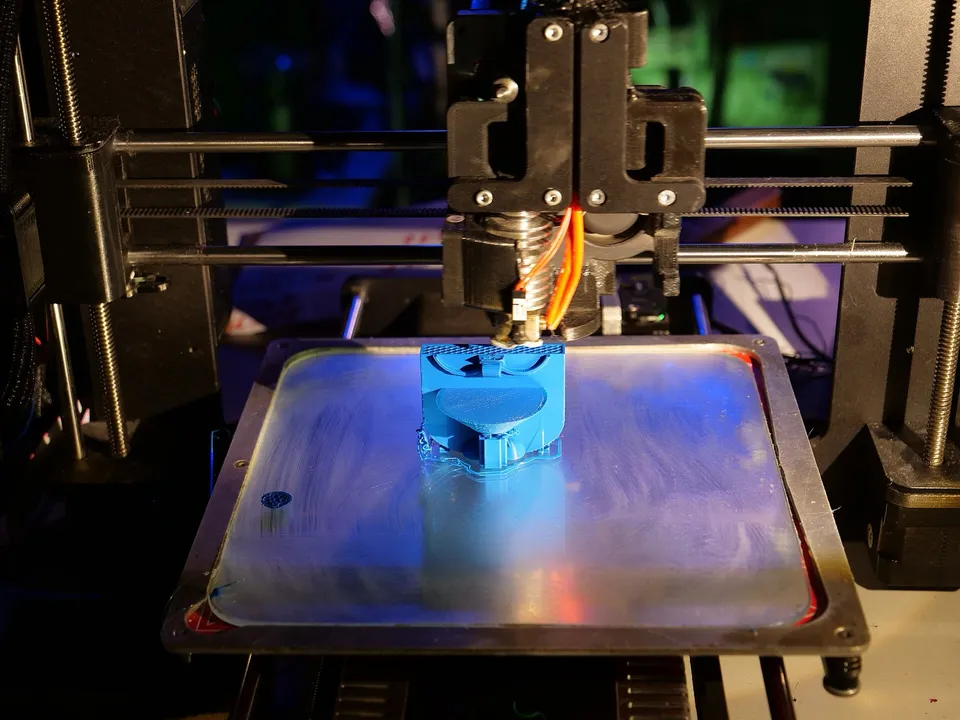

Most problems with a used 3D printer show up before you pay, if you check in the right order. Work through four stages: look up the model at home, ask the seller a fixed set of questions, inspect the machine, then watch it heat up and print. The last section lists the red flags that should end the deal or lower the price.
What should I look for when buying a used 3D printer?
Look for a printer that is still supported, has a known history, and prints a clean first layer in front of you. Check that the model is identifiable, that parts and firmware are still available, and that rods, belts, bed surface, hotend, wiring and fans show normal wear. Ask the seller to unlink any cloud account.
In short, the checks run in this order:
- Before you go: confirm the exact model, its spec record and whether the maker still supports it.
- Questions for the seller: age, print hours, repairs, modifications, firmware and the original receipt.
- Physical inspection: frame, motion parts, bed, hotend, wiring, fans and electronics.
- Test print: homing, leveling, heat-up and a first layer you watch go down.
- Red flags: anything that should end the deal, listed in the table below.
What should you check before you go?
Before you meet the seller, pin down the exact model and look up its spec record. Several printers share a name with a successor or sibling, so the record confirms which one is for sale. Then check whether it is discontinued and, if so, how long its maker has said parts and firmware will last.
Identify the exact model. Names differ by one letter. The Bambu Lab P1P is open-frame and the Bambu Lab P1S is enclosed. The Original Prusa MK4 is discontinued, and its old product page now shows the Original Prusa MK4S. Ask for a photo of the label or the screen’s info page, then open the matching record. It lists the build volume, temperature limits, firmware, connectivity and launch price, a fixed reference point for judging the asking price.
Check the model’s support status. Records marked discontinued include the Bambu Lab X1-Carbon, Original Prusa i3 MK3S+, QIDI Q1 Pro and Sovol SV06. A discontinued printer can still be a sound buy if its maker keeps supplying parts. When Bambu Lab ended P1P sales, it published these dates:
| Bambu Lab P1P milestone | Date |
|---|---|
| End of manufacturing and active sales | 2026-02-10 |
| Firmware bug fixes and feature updates end | 2027-11-14 |
| Firmware security patches end | 2029-11-14 |
| Spare parts supply and support end | February 2031 |
Not every maker publishes a schedule like this. If yours does not, look at whether its store still lists spare parts and whether the latest firmware release is recent.
Plan where you will meet. Craigslist advises a public meeting place such as a bank or police department, but a test print needs a power outlet and time. If you test at the seller’s home, follow Craigslist’s other advice: tell someone where you are going, or bring a friend. Where to buy a used 3D printer compares the buyer protection each platform offers.
What questions should I ask when buying a used 3D printer?
Ask how old the printer is, how many hours it has printed, what has been repaired or modified, and why it is being sold. Ask for the original receipt, the firmware version and every accessory that came in the box. For a cloud-connected printer, ask the seller to remove it from their account before handover.
Questions to send before you travel:
- How old is it, and do you have the original receipt? Warranty terms can follow the printer. Prusa Research covers a printer bought from a private seller if the buyer has the original invoice and opens an account in its e-shop. For a printer not bought directly from Prusa, the warranty is one year from the date it was first delivered, not from your purchase.
- How many hours has it printed? Some printers record this. On the Original Prusa MK3 family it is under LCD Menu > Statistics. On the MK4 and MK4S it is under Info > Print Statistics, which shows print time and filament used. Ask for a photo of that screen. For scale, Prusa’s maintenance guide schedules its routine checks every 200 printing hours.
- Has it run in a print farm? Bambu Lab notes that the P1P was bought in large numbers for farms running around the clock. A farm machine can have far more hours than a hobbyist’s.
- What has been replaced or repaired? Nozzles, PTFE (Teflon) filament tubes, belts and build plates are wear parts. Receipts for replacement parts count in the printer’s favor.
- Is anything modified? Prusa’s warranty excludes upgrades and add-ons it does not officially support, and component-level repairs such as soldering. Modified printers can be fine, but you inherit whatever the modder did.
- What firmware is it on? On the MK4 and MK4S the version is under Info > Version Info. Compare it with the maker’s latest release.
- What filaments has it printed? Carbon-fiber and glass-fiber filaments wear parts faster. Bambu Lab’s X1 guide checks the filament cutter after only one or two rolls of these, against three to five rolls of PLA, PETG, ABS or PC.
- What comes with it? The original build plate, power cord, tools, spare nozzles, the box and any multi-material unit. Missing items are part of the price.
- Will you unlink it from your account? Bambu Lab printers can be unbound from the seller’s account in Bambu Studio, in Bambu Handy or on the printer’s screen, and a factory reset also unpairs them. Ask the seller to do this before you leave.
- Why are you selling it? You cannot verify the answer, but a vague one alongside other gaps is a warning sign.
For model-specific questions about Bambu Lab printers, including the AMS (Automatic Material System) multi-material unit, see buying a used Bambu Lab printer.
What should you check on the printer itself?
With the power off, check the frame, the motion parts, the bed surface, the hotend and the wiring. Look for scratched or grooved rods, slack or frayed belts, a gouged plate, a bent hotend and loose or scorched connectors. Then power it on and confirm every fan spins and the screen responds without errors.
Power off, unplugged:
- Frame and gantry. The frame should not rock on a flat table, and the gantry should sit level. Cracked printed parts, missing screws or bent extrusions point to a drop or a hard crash.
- Smooth rods and rails. Prusa’s maintenance guide checks for scratches and grooves by running each rod between your fingers while rotating it. Push the toolhead and bed by hand: movement should be smooth, with no grinding or catching.
- Belts and pulleys. Look for frayed edges, missing teeth and dust shed from the belt. Prusa describes correctly tensioned belts as sounding “like a low bass note when plucked.” Pulley set screws should be tight on the flat of the motor shaft.
- Build plate. Some scuffing is normal. Deep gouges, bare patches in the coating or a plate that rocks on its bed are not. Check that the plate on offer is the one the record lists, or note the difference.
- Nozzle and hotend. Plastic packed around the heater block suggests a past blob or a leak. Bambu Lab’s X1 guide says to confirm the hotend is straight, with no bends from a print failure.
- Wiring and connectors. Look along the cable chain and at the bed and toolhead connectors for melted, browned or cracked insulation. Prusa’s guide has owners reseat connectors every 600 to 800 hours, so loose ones are a known wear point.
- Smell and scorch marks. A burnt-electronics smell or browning near the power supply, mainboard or bed connector is a reason to walk away.
Powered on:
- Fans. Every fan should spin up without rattling. On the MK4 and MK4S, Info > Sensor Info shows the fan readings and Control > Calibrations & tests includes a fan test.
- Screen and controls. All menus should respond, and the printer should show no standing error codes.
How do you test a used printer before buying?
Watch the printer home, level, heat up and print a small part in front of you. Bring a short test file you sliced yourself, and filament you trust. A healthy printer reaches and holds its temperatures, lays a smooth first layer and finishes without odd noises, error messages or shifted layers.
A test run, in order:
- Home all axes. Listen for grinding or skipped steps, and watch that each axis stops cleanly at its end.
- Run the leveling routine. Automatic bed leveling should complete without errors. A printer that fails it repeatedly has a probe or bed problem.
- Heat up. Heat the nozzle and bed to the temperatures your filament needs, within the maxima in the printer’s record. They should hold steady. The MK4 and MK4S also have a built-in heater test under Control > Calibrations & tests.
- Print a first layer. Watch the first layer go down. It should be even, with no gaps between lines, no dragging and no lines peeling up at the corners.
- Finish a small part. A complete print shows whether layers stay aligned once the printer moves at speed.
- Use the features you are paying for. Load and unload filament, connect over Wi-Fi if the record lists it, and try the camera or multi-material unit if they are part of the sale.
If the seller will not let you run a test print, treat the printer as sold for parts and price it that way.
What are the red flags on a used 3D printer?
The red flags are signs of hidden damage or an unverifiable history: no test print allowed, a burnt smell, a bent hotend, grooved rods, a printer still linked to someone else’s account, or a seller asking for payment before you meet. Any one of them is a reason to walk away or renegotiate.
| Red flag | What it can mean |
|---|---|
| Seller will not power it on or run a print | A fault the seller knows about |
| Burnt smell, browned connectors or melted insulation | Electrical damage, a possible fire risk |
| Plastic packed around the heater block, bent hotend | A past blob or crash; the hotend may need replacing |
| Scratched or grooved rods, grinding when moved by hand | Worn motion parts |
| Frayed belts or missing teeth | Belts near the end of their life |
| Print hours reset to zero on a printer described as used | On the Original Prusa MK3 family a factory reset clears the statistics, so the counter no longer shows the true history |
| Still bound to the seller’s cloud account | You may be unable to set it up on your own account |
| Missing original plate, power supply or multi-material unit | Extra cost on top of the asking price |
| Seller wants payment before meeting, or by wire, gift card or cashier’s check | Craigslist says never to pay before meeting and lists the other three as scams |
How should you pay for a used printer?
Pay only after the test print, in person, and with a method that suits a face-to-face sale. Craigslist’s rule is to deal locally, face-to-face, and never pay before meeting. It lists requests to wire money, pay with gift cards or deposit a cashier’s check as scams. Get a written receipt either way.
Online marketplaces and sellers that ship offer different protection from a cash sale. Where to buy a used 3D printer sets out each platform’s buyer-protection and return terms from its own policy pages.
Sources
Last verified
- Bambu Lab Blog, A farewell to P1P (2026-02-10): end of manufacturing, firmware update, security patch and spare parts dates (accessed Oct 6, 2026)
- Prusa Knowledge Base, Print statistics (MK3 family): LCD Menu > Statistics, reset by factory reset (accessed Oct 6, 2026)
- Prusa Knowledge Base, LCD menu (MK4/S, MK3.9/S): Print Statistics, Version Info, Sensor Info, fan and heater tests (accessed Oct 6, 2026)
- Prusa Knowledge Base, Regular printer maintenance (MK4/S, MK3.9/S) (accessed Oct 6, 2026)
- Prusa Research, former Original Prusa MK4 product URL now serves the Original Prusa MK4S page (accessed Oct 6, 2026)
- Prusa Knowledge Base, Warranty (accessed Oct 6, 2026)
- Bambu Lab Wiki, Printer account unbinding guide (accessed Oct 6, 2026)
- Bambu Lab Wiki, X1 maintenance recommendation (accessed Oct 6, 2026)
- Craigslist, In person transactions (accessed Oct 6, 2026)
- Craigslist, Avoiding scams (accessed Oct 6, 2026)